Odds & Ends Digital Planner: What Is Inside
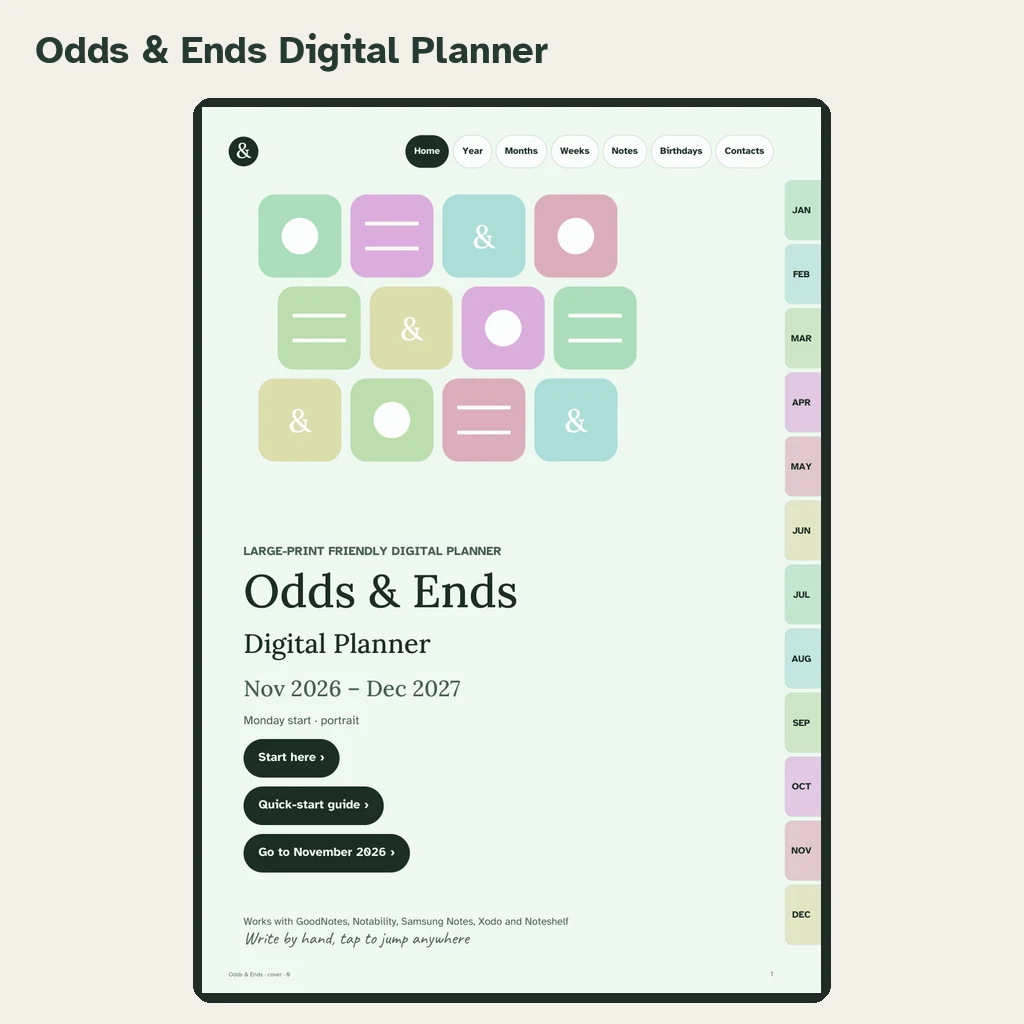
Odds & Ends Digital Planner is a set of linked PDF planners built for people who write by hand on a tablet and want everyday pages, not a productivity system. This review walks through what is in the download, what each group is for and where you should check things on your own device before relying on them.
The short version
The front bundle contains 56 PDFs across three groups, a Large Print Quick-Start Guide, and a web page with the download links. The 56 files are alternatives to choose among. Pick one orientation and one week start and you have a complete planner; the rest are there so you can match your tablet, your habits and your eyes.
1. Standard dated planners (40 files)
Forty PDFs combine two orientations (portrait, landscape), two week starts (Monday, Sunday) and ten color themes: Sage, Lavender, Rose, Sky, Butter, Terracotta, Ocean, Classic Navy, Blush and Charcoal & Cream. The date range is November 2026 through December 2027, so you begin right away and have a full year ahead.
Body text is 14 points or larger, writing lines are at least 34 points tall, and navigation tabs are at least 44 points. All ten themes use dark ink on a light page. Choose a color by mood; none of them costs you legibility.
2. Large Print dated planners (8 files)
Eight PDFs cover the same dates in portrait or landscape, Monday or Sunday start, in Sage or Charcoal & Cream. Body text rises to 18 points or more and the writing lines to 44 points. The large print comparison explains how to choose between standard and Large Print.
3. Undated planners (8 files)
Eight PDFs have no printed dates: portrait or landscape, Monday or Sunday start, in Sage or Classic Navy. You write the dates yourself and can reuse the layouts. Keep the original as a master and work in a copy. The undated setup guide walks through it.
4. Weekly and daily layouts
Seven weekly layouts: Boxes, Columns, Rows, Priorities + rows, Hourly week, Plan & dinner table and Focus week. Each week page links to its alternatives, so you can try another style without hunting for it.
Five daily designs: Classic day, Schedule day, To-do day, Journal day and Meals day. Every dated day has a Classic day page. The other four appear on the first day of each month as templates to duplicate; they are not separately dated for every day.
5. Sections for everyday life
The planner has 20 sections and 41 template designs. The ones that justify it for most households:
- Birthdays & Anniversaries for the dates you must not miss.
- Appointments for medical, car and home visits in one list.
- Contacts and Important Info for numbers and details you look up often.
- Home & Bills, Home Care for what is due and what needs maintenance.
- Meal Planner, Grocery Lists, Recipes for the kitchen.
- Projects, Travel, Reading & Watch List, Goals, Notes for everything else.
A pack of 56 extra templates is also included, along with the Family Keeper pages for recording family details in one place.
These are writing pages. They do not send alerts, synchronize contacts or pay bills. Start with the sections you need this month and let the others wait.
6. Navigation
Every page has the top bar (Home, Year, Months, Weeks, Notes, Birthdays, Contacts) and twelve month tabs. Links are internal, so nothing leaves the document except the Help page. That consistency is what makes it forgiving for people who are new to tablets.
7. The Quick-Start Guide
A large-print guide shows how to import a PDF and use links in GoodNotes, Notability, Samsung Notes, Xodo and Noteshelf. It is written without jargon and covers the step most people find hardest: getting the file into the app.
What it costs and what is optional
The planner is a one-time purchase at $36.99, without a renewal. Optional extras exist, such as a sticker bundle of 1,000+ transparent stickers, but nothing you need to use the planner is locked behind them. The notes on subscriptions and one-time payment cover how that compares with other planners.
Honest limits
- It is a PDF planner, so it needs a note-taking app that supports handwriting and links.
- Duplicated pages may not keep link destinations, depending on the app.
- Kindle Scribe and reMarkable compatibility has not been verified.
- Dated files end at December 2027; the undated files are not a promise of later dated editions.
- Large Print does not certify compatibility with screen readers or magnification settings. Test your own workflow.
Who it suits
It suits people who like writing in a planner but want a tablet's convenience: people who juggle family birthdays, appointments and household tasks, who want large readable pages, and who prefer to pay once. It suits less well anyone who wants alerts, automatic sync or a typed task manager. For that, use your device's calendar and keep this for planning by hand.
A good first hour
Download, pick one file, import it, and write one thing on each of three pages: this week, the birthdays section and a note. Close the document and reopen it. If that feels natural, you are set. The senior-friendly checklist is a good next read if you want to double-check comfort and setup.