Notion Budget Template: The Money Pages Worth Setting Up
A Notion budget is a small set of linked pages, not a single spreadsheet. The pages that matter are a monthly budget for planning, an expense tracker for what actually happened, and a few trackers for savings, debt, subscriptions and bills. This review walks through each page, what to put in it and how they work together. It is general information about organizing your records, not financial advice.
What Notion is good for, and what it is not
Good at:
- Categories with planned and actual amounts
- Formulas that compute the remaining balance
- Views by month, category or status
- Checklists for bills and tax documents
Not built for:
- Live bank connections. Notion does not link to bank accounts, so you enter transactions yourself.
- Investment analysis. Track net worth, but use a proper tool for portfolio detail.
If manual entry sounds like a burden, keep it light: log expenses once a day, in one minute, and review weekly.
The seven money pages
1. Monthly Budget
Purpose: plan every dollar before the month starts.
Properties: category, planned amount, actual amount, remaining (a formula), type (income, fixed, variable or savings) and month.
How to use it: list income first, then fixed expenses, variable expenses and savings. Set a number for each category and compare at month-end. The formula for remaining is simply planned minus actual; the formulas cheat sheet explains how to build it.
2. Expense Tracker
Purpose: log what you spend, fast.
Properties: date, amount, category, method (card, cash, transfer), merchant, an "essential" checkbox and notes.
How to use it: add each purchase within a day. Keep categories to about ten. On Sunday, group by category and compare with your budget line.
3. Savings Goals
Purpose: see progress toward each fund.
Properties: goal, target, saved, deadline, progress (a formula), monthly contribution and priority.
How to use it: a simple way to size a monthly contribution is the remaining amount divided by the months left. Set milestones at 25, 50 and 75 percent.
4. Debt Payoff Planner
Purpose: list every balance and choose a strategy.
Properties: debt, balance, APR, minimum payment, order, payoff date and amount paid this month.
How to use it: write down each debt with its rate and minimum. Pick snowball (smallest balance first) or avalanche (highest rate first), write why, and put the debts in order. Update balances monthly.
5. Net Worth Tracker
Purpose: see assets minus liabilities over time.
Properties: month, assets, liabilities, net (a formula), change and account type.
How to use it: take one snapshot on the first of each month. The trend matters more than any single number.
6. Subscription Manager
Purpose: find recurring charges you forgot about.
Properties: service, cost, cycle (monthly or annual), renewal date, keep checkbox, last used and annual cost (a formula).
How to use it: scan three months of statements, list every recurring charge, and mark what you used in the last 30 days. Review quarterly.
7. Bills Calendar
Purpose: never miss a due date.
Properties: bill, amount, due date, paid checkbox, autopay checkbox, account and confirmation.
How to use it: set reminders a few days before the due date and tick each bill off with a confirmation number.
Pages beyond the core seven
- Income Tracker and Invoice Tracker for freelance work.
- Tax Prep Checklist for gathering documents before filing.
- Big Purchase Planner for decisions you want to slow down.
- Grocery List, Home Maintenance Schedule, Cleaning Schedule and Home Inventory for household records.
A weekly money routine
- Log the week's expenses (5 minutes).
- Compare each category to its budget line.
- Flag any category above 80 percent of plan.
- Check bills due in the next seven days.
- Decide one adjustment.
This routine fits easily into the weekly layer of a Notion planner.
Tie finances to goals
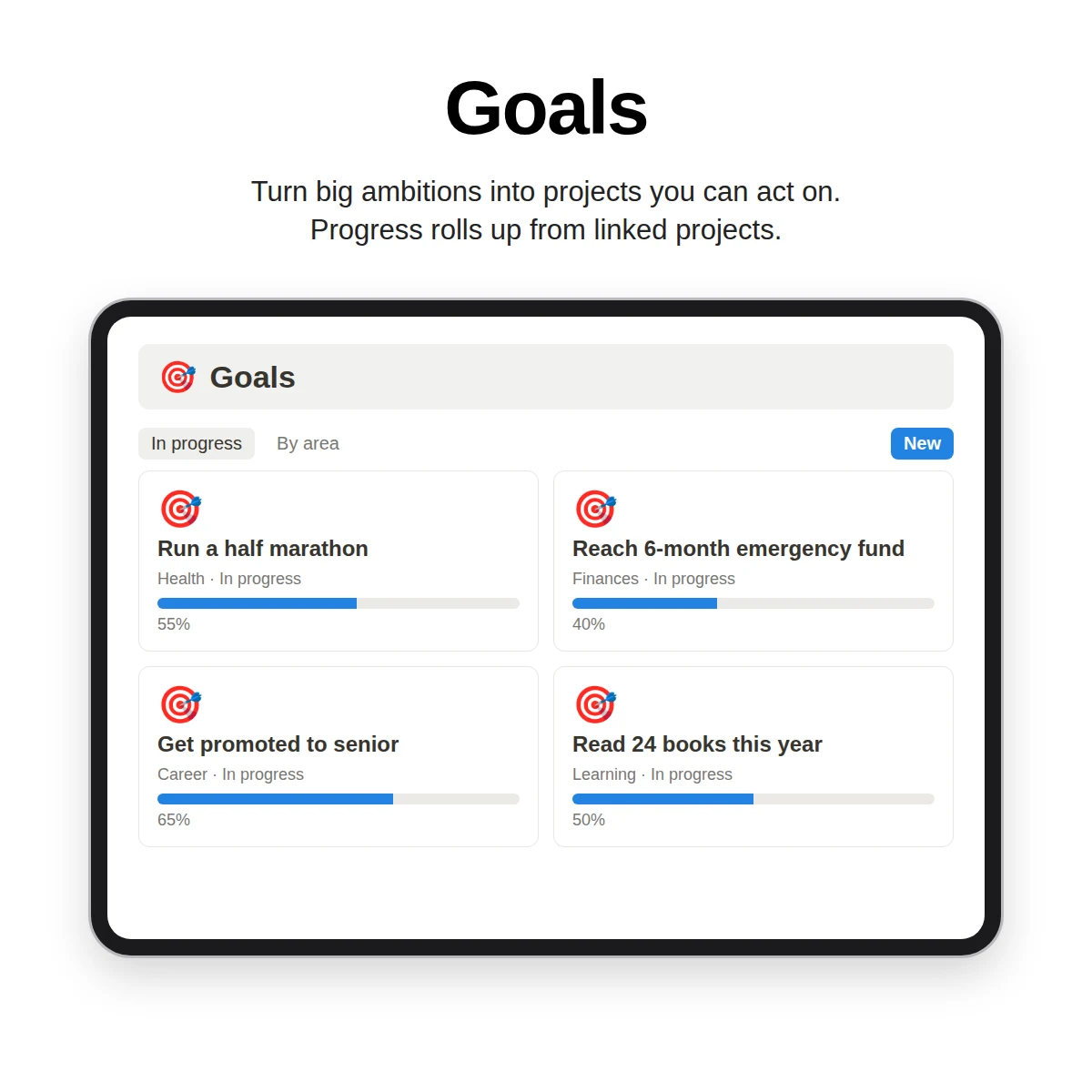
A budget is easier to follow when it serves a goal. Link savings goals to your finances area so that "build a buffer" appears next to the project that sets up the transfers. For ways to structure goals and areas, see how to organize your life in Notion.
Cautions
- Figures in any template, including those in examples, are illustrations, not recommendations.
- For decisions about taxes, debt or investing, consult a qualified professional.
- Keep sensitive account numbers out of shared pages.
What Clarity OS includes for money
Clarity OS includes a Money & Home category in its library of 120 page templates, with 15 pages: Monthly Budget, Expense Tracker, Savings Goals, Debt Payoff Planner, Net Worth Tracker, Subscription Manager, Bills Calendar, Invoice Tracker, Income Tracker, Tax Prep Checklist, Home Maintenance Schedule, Cleaning Schedule, Grocery List, Home Inventory and Big Purchase Planner. The Areas database lets you connect them to a finances area, and the Notion Formula Cookbook bonus gives you 60 formulas to adapt.
A separate, larger finance pack called Money OS is sold on its own and is not part of what is described here. To compare this with other template types, see the Notion template guide.
Start with the monthly budget and expense tracker. Add the others when you feel the need.