What Is a Digital Planner? How Hyperlinked PDFs Work
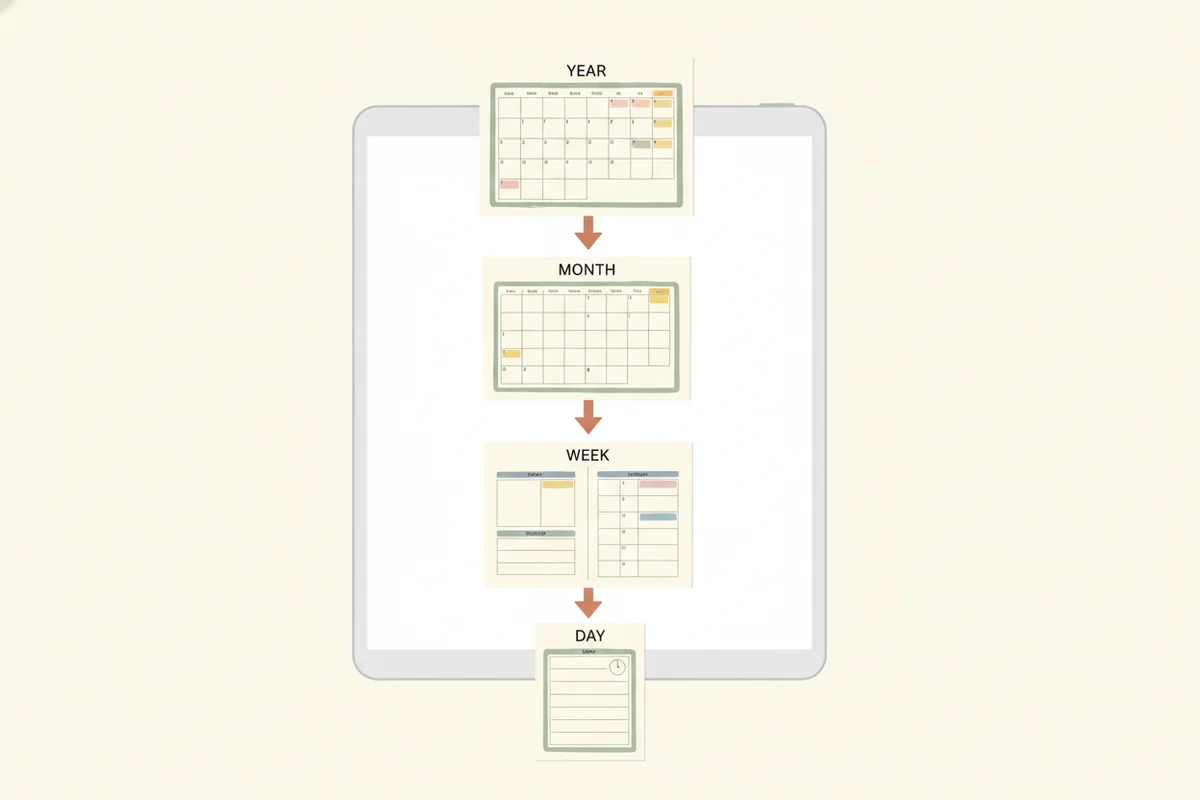
A digital planner is a planner you use on a tablet or computer, usually a PDF file with clickable links that you open in a notes app and write on with a stylus. The "hyperlinked" part is what turns a long PDF into something you can navigate: tap a month tab, a date or a button and you jump to that page. This guide explains how they work, what they contain and how to choose one.
How a digital planner works
A digital planner is a regular PDF. You import it into an app that lets you annotate PDFs. Most people use a tablet and an active stylus, so handwriting feels natural, but you can also type with some apps or use a mouse on a computer.
The navigation is built from internal links, which are clickable regions that point to another page in the same file. A well-built planner puts links in many places:
- Tabs along the edge for each month.
- A top bar with buttons for the index, years, goals and notes.
- Date numbers on calendars that open that day's page.
- Week numbers that open the weekly spread.
- Back buttons that return to the month.
Because links are inside the PDF, they work without internet. In PlanBloom All-in-One Digital Planner, for instance, each dated planner file has 952 pages and roughly 50,000 internal links, so a tap takes you from a year overview to a month, a week or a day.
What a digital planner contains
Most hyperlinked planners follow the same structure:
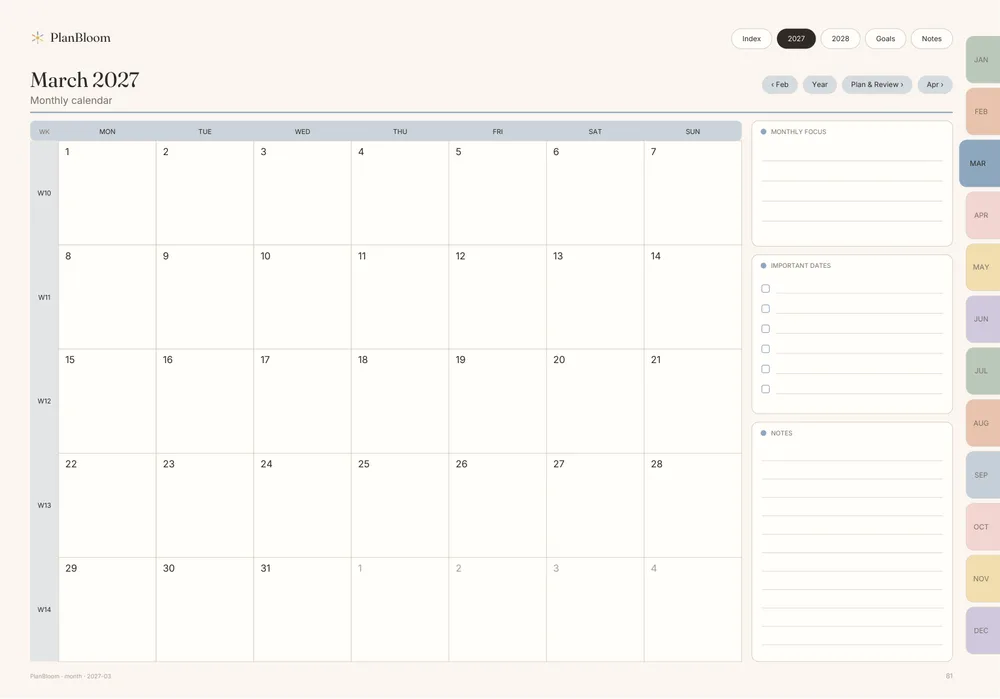
| Level | Typical pages |
|---|---|
| Year | Overview of 12 months, yearly goals |
| Month | Calendar, monthly plan and review |
| Week | Seven-day spread with space for tasks and notes |
| Day | A page per date with time blocks or lists |
| Notes | Blank or lined pages for notes |
| Extras | Trackers, templates, notebooks |
The 2027-2028 planner in PlanBloom All-in-One Digital Planner follows this pattern: a year overview and goals pages, 24 monthly calendars with plan and review pages, about 105 weekly spreads, a daily page for each of the 730 days, and 60 notes pages.
Dated, undated and multi-year
- Dated planners have the calendar printed in. They save setup time, but a year runs out.
- Undated planners have blank date fields. You can start on any day and skip days without leaving empty pages. PlanBloom All-in-One Digital Planner includes an undated version with 481 pages.
- Multi-year planners cover two or more years in one file.
If you start mid-year, undated is often easier. If you like seeing the whole calendar in place, dated works well.
Layouts and week start
Planners typically come in landscape (wide, like a laptop screen, with seven days side by side) and portrait (tall, like paper). They also differ in whether the week starts on Monday or Sunday. PlanBloom All-in-One Digital Planner offers all four combinations as separate files, and the pages are sized for a tablet: 1194 × 834 points in landscape and 834 × 1194 in portrait.
What apps work
Common choices include GoodNotes, Notability, Noteshelf, Xodo and Samsung Notes. Any PDF reader can open the planner and show the links. Link support inside note apps depends on the app and its version, so read the app's notes or the planner's instructions. The GoodNotes digital planner guide and the guide for iPad planners go through import steps and tips.
Benefits and trade-offs
Benefits
- One device holds your planner, notebooks and templates.
- You can erase, move and duplicate pages.
- Backups are easy.
- Stickers and covers can be added as images.
- A new year does not mean carrying a new object.
Trade-offs
- A screen can distract.
- You need a device and often a stylus.
- Link behavior varies between apps.
- The writing feel is different from paper.
The digital planner vs paper planner comparison goes deeper on these points.
What to check before you buy
- Are the links real internal links? Not just a table of contents.
- Which layouts and week starts are included?
- Is there a guide for your app?
- How many pages and extras? More is not always better, but notebooks, templates and covers save you from searching for them.
- Is the price one-time or recurring?
- What does the seller say about app limits? An honest seller notes where links may not work.
PlanBloom All-in-One Digital Planner comes with an 18-page Quick-Start Guide for GoodNotes, Notability, Noteshelf, Xodo and Samsung Notes. It states that link support in Samsung Notes depends on the version.
Extras that often come with planners
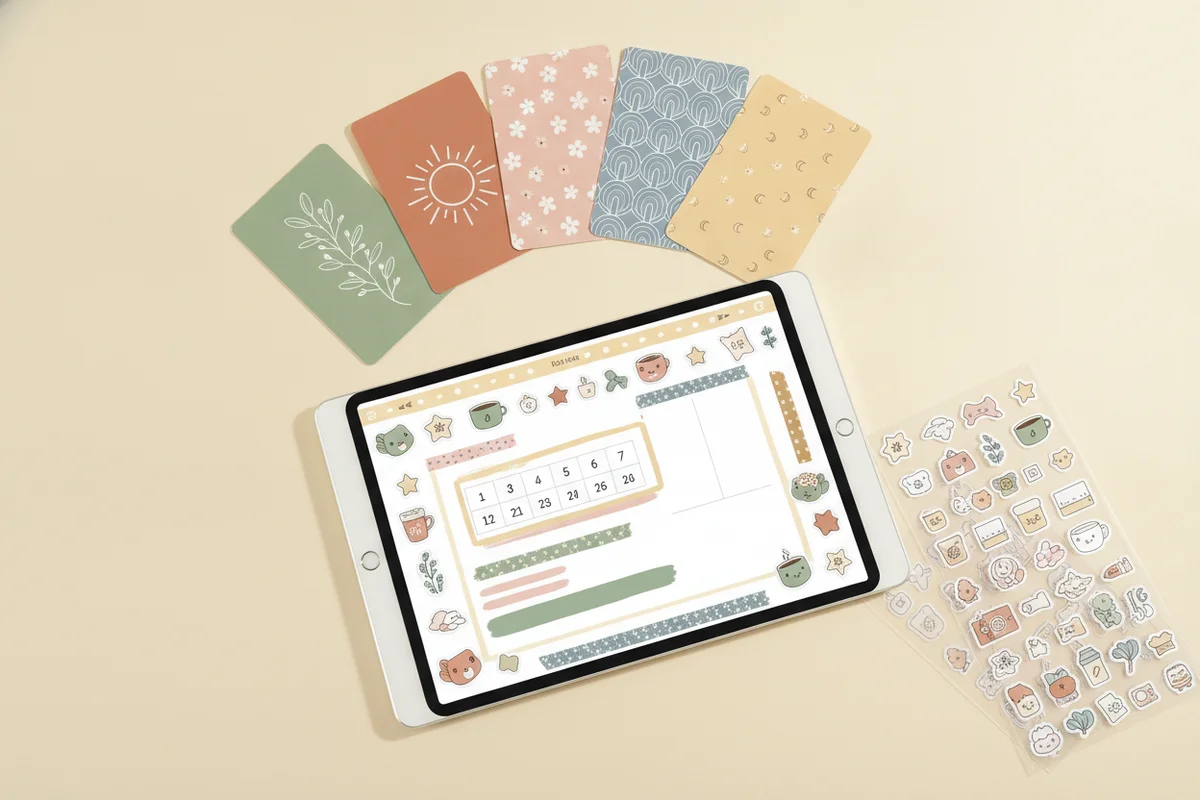
Many bundles add 48 or more notebooks, paper templates, covers and stickers. PlanBloom All-in-One Digital Planner includes 48 tabbed notebooks (12 themes in lined, grid, dot and mixed pages), 120 paper templates, Student and Work packs, 160 digital covers and more than 5,500 transparent PNG stickers, as well as a Companion web app.
Getting started
Download the PDF, import it into your app, switch to reading mode to test the links, then switch to the pen to write. Add a cover and a few stickers if you like. For the year you are planning, see the 2027-2028 digital planner guide.
Common questions about getting started
Do I need to be good at technology? Not much. If you can open a PDF and tap, you can use one. The first import takes a few minutes, and a good guide makes it easier.
Can I share a planner across devices? Yes, by keeping the file in cloud storage and opening it on each device, though notes you write stay in the copy where you wrote them.
What if I change apps later? Keep the original PDF. You can import it into another app, but your handwriting stays in the first app unless you export it.
Can I print it? A standard PDF can be printed, usually a few pages at a time rather than the whole file.