Life Planner Template: The Pages That Actually Matter
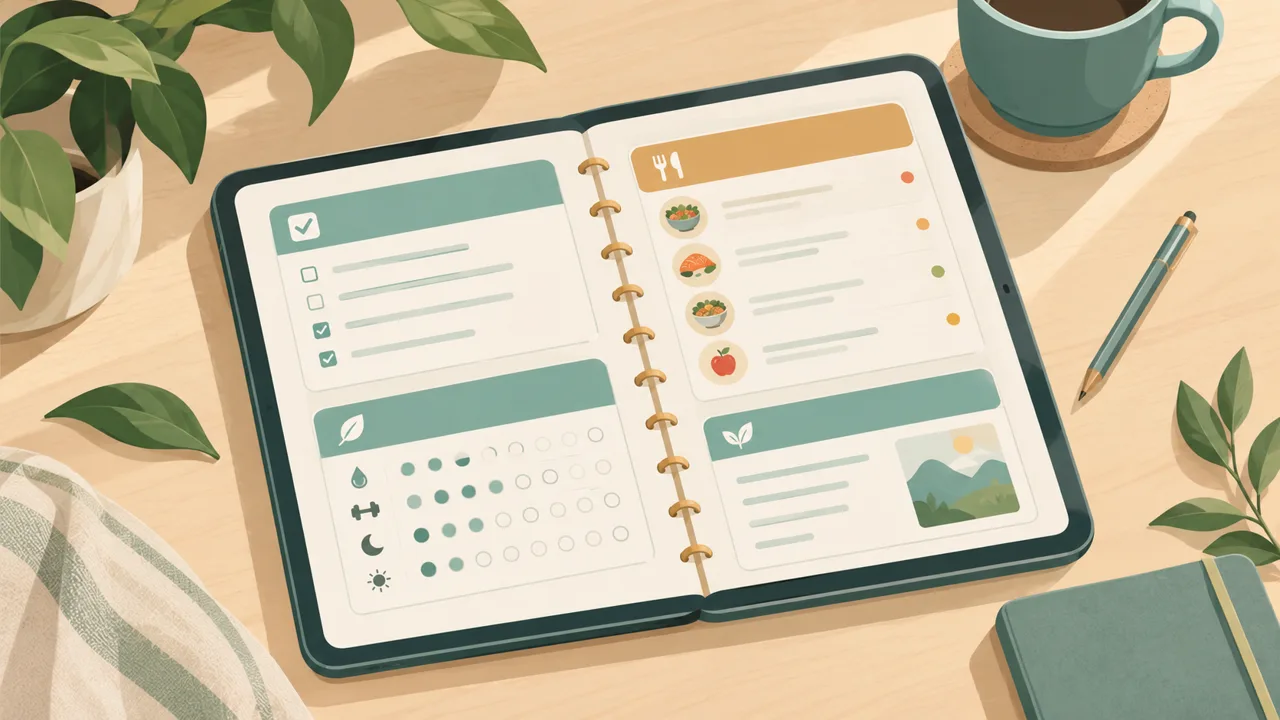
Most life planner templates fail because they have too many pages and no center. A hundred layouts look generous in the preview. In daily use, you want five, and they must connect.
This guide lists the eight pages that earn their place in a life planner template, explains what each does, shows how they link together, and gives you a first-week fill-in plan so the template does not stay blank.
The test for any page
Before including a page in your planner, ask: what decision does it help me make? If the answer is vague, it is decoration. If the answer is "what do I do next?", "what do I eat?" or "am I on track?", the page belongs.
By that test, here are the eight.
1. The day dashboard
The center of the template. One page that shows:
- Schedule. Appointments and blocks against the clock.
- Top three. The things that make the day a success.
- Tasks. The wider list, including those carried over.
- Habits. The small things you do daily or a few times a week.
- Meals. What's for dinner, and whether you are prepared.
- Check-in. Mood, energy, one line.
Everything else supports it. If you only used this page, your planner would still work.
2. The week
A week view that shows the shape of the next seven days: where it's busy, where there's room, which evening is free. A week is where you place the weights. A page of columns or rows, with a priorities strip, is enough.
3. The month
A calendar for dates that matter and for spotting the weeks that collide. Birthdays, trips, deadlines, school events. The monthly page also shows tasks with a date, which then appear on that day automatically in the web planner.
4. Goals
Three to five goals with a percentage or milestones, a date, and a next step. The next step is the key. A goal that has no next action is a wish. Review this page monthly and update the next step.
5. Habits
A tracker with frequencies that fit life: daily, three times a week, weekdays only. A habit that is only supposed to happen on Mondays and Thursdays should not show a missed streak on Tuesday. Choose three and make them small.
6. Meals
A weekly dinner plan that feeds a shopping list. Meals are the most common source of daily friction for households, and a basic plan removes the 5 p.m. "what are we eating?" question. A pantry list marking items as In, Low or Out helps you shop only for what you need.
7. Routines
Morning and evening, five or six steps each. These are not productivity theatre. They exist so you don't spend willpower on the first and last hours of your day.
8. The reset
A page for pausing at the start of a season or after a disruption. Write what worked, what did not, what you will stop, start and keep, and the three priorities for the next three months. This is the page that turns a planner from a one-off into a long-term system.
How the pages connect
A template is only as good as its links. In a hyperlinked planner, you move from the year to a month, to a week, to a day, and from any day back to the week and the month with a tap. The dashboard sits at the center: tap the date to open the day, tap the week to open the week.
That structure matters because it turns the planner into a map. You don't "find" a page; you go to it. The hyperlinked planner guide shows how this works on an iPad and how to check the links when you set it up.
Your first week with a template
Day 1: the fixed things. Fill the month with appointments, birthdays, commitments. Fill the week with the recurring schedule.
Day 2: three goals. Pick the ones that matter most this season. Write each next step on its page.
Day 3: habits and routines. Choose three habits. Write morning and evening routines in short lines. Start the first checkmarks.
Day 4: meals. Plan next week's dinners and write the shopping list.
Day 5: use the dashboard. Open it each morning, set the top three, tick off. Keep the day small.
Day 6: catch up. Move anything that slid. Do not judge it.
Day 7: a ten-minute review. Look at what you did. Choose what to keep, adjust one thing, and plan the next week. The weekly review guide gives a script.
What to leave out of your template
Daily gratitude, vision boards and ten kinds of tracker. Not because they are bad, but because most people don't use them. If you want them, add them one at a time.
Elaborate project pages. Project management tools do that better. Keep your planner for the life layer.
Every possible calendar view. Month, week and day cover almost everything.
Decorative pages. If a page has no function, it takes up space you will scroll past.
Template or system?
A template is a set of pages. A system is how you use them. The system is what lasts:
- Look at today each morning.
- Move, don't delete. Let unfinished tasks carry over.
- Review weekly. Ten minutes on Sunday.
- Reset seasonally. Every three months, rebuild.
If you follow that rhythm, almost any good template works. If you don't, the best template in the world will get abandoned.
How Tidewell Life Planner implements the template
Tidewell Life Planner is a life planner template made real. It gives you a hyperlinked PDF for GoodNotes and iPad, with year, month, week and day pages connected, a day dashboard at the center, and pages for goals, habits, meals, routines and the Season Reset. It also comes with a web planner for phone and laptop, where tasks with dates appear on their day, unfinished tasks move to today by themselves, and your meal plan feeds a shopping list.
Extensions for specific lives are sold separately: a Teacher & Student Edition, a Mom & Home System and a Money Dashboard for budgets, debt and net worth. The main planner stays light, and you add only what you need.
It is a one-time payment with no subscription, covered by a 365-day money-back guarantee. For the bigger picture of why a single system works better than five tools, read the life planner guide, and for choosing between formats, see how to pick a planner app.
A template you'll still use in March
The best life planner template is a short one that you open daily. Start with the dashboard, add a week and a month, choose three goals and three habits, plan a week of dinners, and run a reset each season. Everything else is optional, and the planner should let you ignore it without guilt.